
Is LearnWorlds Worth It for Beginners?

LearnWorlds is a polished course platform with strong interactive features, but its price and learning curve give pause for true beginners. Here’s what you actually need to know before signing up.
Table of Contents
- What LearnWorlds Actually Is
- LearnWorlds Pricing: What You’ll Actually Pay
- What Beginners Get Right Out of the Box
- Where LearnWorlds Falls Short for New Creators
- LearnWorlds vs. Key Alternatives
- The Interactive Video Advantage — And When It Matters
- Who Should Actually Consider LearnWorlds
- Is LearnWorlds Worth It for Beginners? The Verdict
- Frequently Asked Questions
Is LearnWorlds worth it for beginners? The short answer: it depends heavily on your budget and how seriously you’re treating this first course. LearnWorlds offers a capable, well-designed platform with interactive video tools and a built-in school builder — but its $29/month Starter plan charges a $5 fee per sale, and the interface takes a few hours to learn. Beginners who plan to validate before scaling may want to compare it to simpler alternatives first.
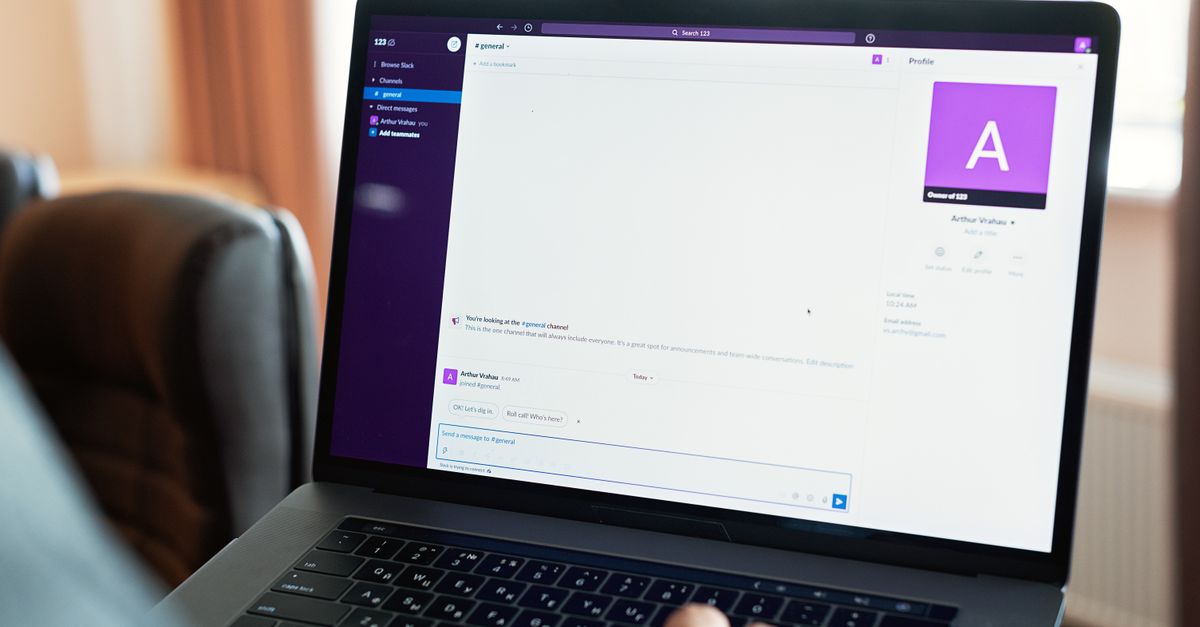
Photo: www.kaboompics.com (Pexels)
What LearnWorlds Actually Is
LearnWorlds is a hosted course platform founded in 2014 and headquartered in Cyprus. It targets creators who want more than a simple video player — think interactive videos with embedded quizzes, SCORM support, custom certificates, and a branded “school” website built right into the platform.
Unlike Teachable or Podia, which prioritize simplicity, LearnWorlds leans toward features. That’s a strength for educators who want depth. For someone launching their first $97 course, it can feel like more cockpit than you need.
LearnWorlds Pricing: What You’ll Actually Pay
Pricing is where most beginners should pause and read carefully.
- Starter — $29/month (billed monthly) or $24/month (billed annually). Comes with a $5 fee per paid enrollment. That fee disappears on higher plans.
- Pro Trainer — $99/month (or $79/month annually). No transaction fees. Unlimited courses. This is the tier most serious beginners should be targeting.
- Learning Center — $299/month. Built for training businesses and academies.
- High Volume / Corporate — custom pricing.
The Starter plan’s $5/transaction model stings fast. Sell 20 courses at $97 and you’re paying $100 in fees on top of your $29 subscription — roughly 5% of gross revenue to LearnWorlds before payment processor fees.
LearnWorlds does offer a 30-day free trial on paid plans, which is worth using before committing.
What Beginners Get Right Out of the Box
For a first-time course creator, several features stand out as genuinely useful:
Interactive video tools. You can embed questions, hotspots, and jump links directly in videos. No third-party tool needed. Most platforms at this price don’t offer this natively.
Built-in website builder. LearnWorlds lets you build a full school website — landing pages, a blog section, and a custom domain — without touching WordPress. That’s meaningful if you’d rather not manage hosting separately.
Payment and checkout. Stripe and PayPal integrations are included. You can set up a paid course in an afternoon.
Assessment tools. Quizzes, tests, and assignments are available on all plans. Certificates require the Pro Trainer tier or higher.
Mobile app (white-label). Available on higher-tier plans. Not relevant for most beginners.
The overall UI is clean. Navigation makes sense once you spend an hour or two inside the course builder. It’s not as instantly intuitive as Teachable’s drag-and-drop, but it’s not hostile either.
Where LearnWorlds Falls Short for New Creators
Honest limitations matter. Here’s what the marketing page won’t lead with:
The Starter plan transaction fee is a real drag. Until you upgrade to Pro Trainer, every sale costs $5. If you’re still testing price points and course topics, that adds up before you’ve found product-market fit.
The feature set can overwhelm. LearnWorlds has a lot of options — drip content, SCORM files, affiliate management, communities, assessments, live sessions. A beginner building their first mini-course doesn’t need most of this. You might spend time exploring features instead of actually building content.
Email marketing is limited. There’s a basic notification system, but no full email automation built in. You’ll need to connect Kit (formerly ConvertKit), ActiveCampaign, or GetResponse via Zapier or native integrations to run sequences. That’s an extra cost and extra setup step.
Community features are basic on lower plans. If you want a discussion board or cohort experience, the tools are thinner than what you’d find in Kajabi or even Podia.
LearnWorlds vs. Key Alternatives
Is LearnWorlds worth it for beginners compared to the main competition? Here’s a direct look:
| Platform | Starting Price | Transaction Fee | Free Trial | Best For | Standout Feature |
|---|---|---|---|---|---|
| LearnWorlds | $29/mo (+ $5/sale) | $5 on Starter | 30 days | Interactive, structured courses | Interactive video with built-in quizzes |
| Teachable | $0 (Free plan) | $1 + 10% on Free; 5% on Basic | No (free plan available) | Beginners validating an idea | Simplest course builder on the market |
| Thinkific | $0 (Free plan) | None | No (free plan available) | Beginners who want zero upfront cost | No transaction fees even on free tier |
| Podia | $39/mo | None on paid plans | No (but 14-day trial on Mover) | Creators selling courses + digital products | Includes email marketing and community |
| Kajabi | $149/mo | None | 14 days | Established creators going all-in | Full marketing + course + community stack |
Key takeaway from the table: Thinkific and Teachable both offer free plans with no monthly cost. If you’re testing an idea and have no audience yet, starting there makes more financial sense than LearnWorlds’ $29/month minimum.
LearnWorlds earns its place once you’ve validated demand and want more interactive, professional-grade delivery.
The Interactive Video Advantage — And When It Matters
The feature LearnWorlds markets most heavily is its interactive video layer. You can pause a video and require a quiz answer before the student continues, embed clickable resources mid-playback, or segment video chapters for SCORM-compatible exports.
For a corporate training course or a certification program, this is genuinely valuable. Students stay engaged. Completion rates tend to climb when passive video becomes an active exercise.
For a beginner’s first course on “how to start a vegetable garden” or “intro to Excel,” this feature adds polish but probably won’t drive sales. Your marketing and positioning matter more at that stage than your video interactivity.
The honest framing: LearnWorlds’ flagship feature solves a problem most beginners don’t have yet.
Who Should Actually Consider LearnWorlds
LearnWorlds makes sense if:
- You’re coming from an education, training, or coaching background and want structured, credentialed learning experiences.
- You already have an audience and expect at least 20–30 sales in your first month (at which point the Starter plan’s $5 fee model hurts enough to justify upgrading to Pro Trainer at $79/month anyway).
- Your course content is video-heavy and you want to make that video do more than just play.
- You want a fully branded school website without managing WordPress + LMS plugins separately.
LearnWorlds is probably not the right first platform if:
- You’re validating a course idea with under 100 email subscribers.
- You want a free or near-free starting point. Thinkific’s free plan costs $0 with no transaction fees.
- You want built-in email automation. You’ll need a separate tool like Kit or ActiveCampaign.
- You need a simple, 30-minute setup. Teachable’s Basic plan ($59/month, no transaction fees) is faster to launch on.
Is LearnWorlds Worth It for Beginners? The Verdict
Returning to the core question — is LearnWorlds worth it for beginners? — the answer is a qualified yes for a specific type of beginner, and a clear no for others.
If you’re an educator, trainer, or coach who takes course design seriously and wants interactive, professional delivery from day one, LearnWorlds at the Pro Trainer tier ($79/month annually) is a legitimate choice. The 30-day trial gives you real time to build and test before paying.
If you’re a first-time creator still figuring out your niche, pricing, and audience, start with Thinkific’s free plan or Teachable’s Free plan, prove demand, and revisit LearnWorlds when your monthly revenue makes the Pro Trainer subscription an easy call.
The platform is well-built. The question isn’t whether LearnWorlds is good — it’s whether you’re at the stage where its strengths pay off.
Frequently Asked Questions
Does LearnWorlds have a free plan?
LearnWorlds does not offer a permanent free plan. It offers a 30-day free trial on paid plans, starting with the Starter tier at $29/month. After the trial, you must choose a paid plan to keep your school active.
What is the $5 transaction fee on LearnWorlds?
The Starter plan ($29/month) charges a $5 fee on every paid enrollment in addition to standard payment processor fees (typically 2.9% + $0.30 via Stripe). This fee disappears entirely on the Pro Trainer plan ($99/month or $79/month billed annually) and above.
How does LearnWorlds compare to Teachable for beginners?
Teachable offers a free plan with no monthly cost, making it lower risk for beginners still testing an idea. LearnWorlds requires at least $29/month and adds a per-sale fee at that tier. Teachable’s interface is also simpler. LearnWorlds edges ahead on interactive video and built-in website features once you’re past the validation stage.
Do I need separate email marketing software with LearnWorlds?
Yes, for most creators. LearnWorlds includes basic enrollment notifications but not full email automation. You’ll need to connect a tool like Kit (formerly ConvertKit) or ActiveCampaign via Zapier or direct integration to send welcome sequences, drip campaigns, or promotional emails.
Is LearnWorlds SCORM-compatible?
Yes. LearnWorlds supports SCORM 1.2 and xAPI (Tin Can) imports on the Pro Trainer plan and above. This matters primarily for creators building corporate training content or working with organizations that require SCORM-compliant reporting. For most individual course creators, it won’t be a deciding factor.
For more guidance on choosing the right course platform for your stage of business, bookmark this site and check back as we expand our course platform coverage.
External reference: LearnWorlds official pricing — learnworlds.com/pricing
0 Comments on "Is LearnWorlds Worth It for Beginners?"
Related posts






Leave a Comment
You must be logged in to post a comment.