
Best Affiliate Tracking Tools for Beginners in 2026
Finding the best affiliate tracking tools for beginners in 2026 is easier when you know what each option actually does. This guide compares the top tools by price, features, and skill requirements.
Table of Contents
- Why Beginners Need a Dedicated Tracking Tool
- What to Look For Before You Choose
- The Best Affiliate Tracking Tools for Beginners in 2026
- Comparison Table: Best Affiliate Tracking Tools for Beginners in 2026
- Who Should Pick Which Tool
- Common Mistakes Beginners Make With Tracking Tools
- Frequently Asked Questions
- The Bottom Line
The best affiliate tracking tools for beginners in 2026 are those that show you exactly which links earn money, which traffic sources convert, and where clicks leak — without requiring a developer or a steep learning curve. The tools covered here range from free WordPress plugins to professional SaaS platforms under $50/month, so there’s a workable option at every budget.
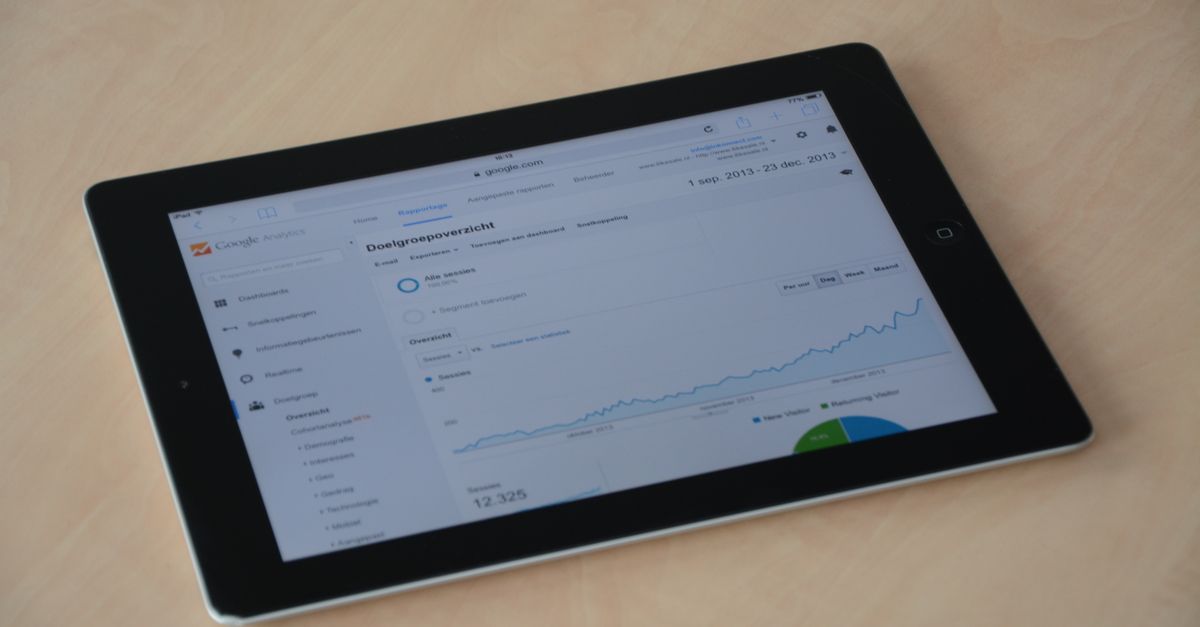
Photo: weCare Media (Pexels)
Affiliate tracking matters more than most new marketers expect. Without solid data, you end up guessing which content drives revenue and which campaigns waste your time. The right tool turns guesswork into clear, actionable numbers.
Why Beginners Need a Dedicated Tracking Tool
Clicking “Copy link” inside an affiliate network’s dashboard is not a tracking strategy. Those raw links tell you nothing about which blog post, email, or social post generated a sale.
A dedicated tracking tool does three things:
- Cloaks links so they’re shorter, branded, and less likely to get blocked
- Attributes conversions to a specific page, campaign, or traffic source
- Stores click data so you can spot trends over days, weeks, or months
Without this layer, you’re managing a revenue stream you can’t measure. That’s the core reason the best affiliate tracking tools for beginners in 2026 deserve a spot in your setup from day one.
What to Look For Before You Choose
Not every tool fits every situation. Here’s the short checklist worth running through before committing:
Ease of setup
Some tools plug directly into WordPress in five minutes. Others require custom domain configuration, DNS records, and redirect rules. Beginners should prioritize tools with visual dashboards and guided onboarding.
Pricing model
Pay-per-click pricing can get expensive fast if you drive significant traffic. Flat monthly fees are easier to budget. Free tiers are great for testing, but most cap out at a few thousand clicks per month.
Attribution model
First-click vs. last-click attribution produces very different commission reports. Make sure the tool you pick matches how your affiliate network attributes sales.
Integration requirements
WordPress users benefit from plugins. If you’re building on a funnel platform like ClickFunnels 2.0 or Systeme.io, you’ll want a tool that plays nicely with those environments via URL parameters or postback (server-to-server) tracking.
The Best Affiliate Tracking Tools for Beginners in 2026
Here’s a breakdown of the tools worth considering, organized from lightest to most full-featured.
1. Pretty Links (WordPress Plugin)
Best for: WordPress bloggers who want simple link cloaking and basic click stats.
Pretty Links is the entry point most content bloggers start with, and for good reason. The free version handles link cloaking, redirect types (301, 302, 307), and click counts out of the box.
The Pro tier starts at $99/year and adds A/B split testing, link categories, auto-link keywords, and geo-targeting. For a blogger publishing SEO content and monetizing with Amazon Associates or ShareASale links, the free plan is sufficient to start.
What it doesn’t do: Pretty Links doesn’t track conversions back from an affiliate network. It tells you how many people clicked your cloaked link, not how many of those clicks resulted in a commission. You’d need to cross-reference that with your network’s dashboard manually.
2. ThirstyAffiliates (WordPress Plugin)
Best for: WordPress users who want more link management structure than Pretty Links offers.
ThirstyAffiliates has a clean interface and organizes links into categories, which is useful once you’re managing 50+ affiliate links across multiple programs. The free version covers link cloaking and basic reporting.
ThirstyAffiliates Pro runs $99.60/year and adds geolocation redirects, automatic 404 link checker, CSV import/export, and Google Analytics event tracking. The Google Analytics integration is particularly useful — it pushes click events directly into GA4 so you can see link performance alongside your full traffic data.
Limitation: Like Pretty Links, it operates at the click level. Conversion data must come from your affiliate network.
3. ClickMagick
Best for: Beginners ready to move beyond click counting and start doing real funnel tracking.
ClickMagick is arguably the most beginner-accessible tool that handles full-funnel tracking, not just link clicks. It supports postback tracking (so conversions reported by affiliate networks flow back into your ClickMagick dashboard), A/B split testing, bot filtering, and traffic quality scoring.
Pricing starts at $69/month for the Starter plan (up to 10,000 clicks/month). The Standard plan at $149/month handles 100,000 clicks. There’s a 14-day free trial.
For a beginner running paid traffic — even a small Facebook Ads test budget — ClickMagick provides data that WordPress plugins simply can’t: cost-per-click, earnings-per-click, conversion rates tied to specific traffic sources, and real-time alerts when a link stops converting.
Watch out for: The $69/month entry price is a meaningful commitment for someone just starting out. It makes more sense once you’re spending $300+/month on ads or scaling a content operation where conversion attribution matters.
4. Voluum
Best for: Beginners who plan to scale into paid traffic and want enterprise-grade data from day one.
Voluum is a cloud-based tracker built around paid advertising campaigns. It supports direct linking, landing page tracking, multi-offer testing, and detailed traffic source breakdowns. The UI is more complex than ClickMagick, but Voluum’s reporting depth is significantly greater.
The Discover plan starts at $199/month [verify current pricing], which puts it outside most beginner budgets. However, Voluum occasionally runs promotional pricing for annual plans that brings the monthly equivalent down.
For someone running affiliate campaigns on Google Ads, native advertising networks, or push traffic, Voluum’s auto-optimization rules (which pause underperforming offers automatically) can justify the cost fairly quickly.
Honest assessment: Most beginners don’t need Voluum yet. It’s listed here for completeness and because some readers will outgrow other tools within six to twelve months.
5. Redtrack
Best for: Mid-level beginners who want postback tracking and multi-channel attribution without Voluum’s price tag.
Redtrack bridges the gap between ClickMagick’s ease of use and Voluum’s data depth. It supports server-to-server (S2S) postback tracking, multi-touch attribution, team workspaces, and API access.
Pricing starts at $149/month (Solo plan, up to 3 million events/month). An annual plan drops that to roughly $124/month. There’s a 14-day free trial.
The standout feature for beginners is Redtrack’s onboarding templates for common affiliate networks (MaxBounty, Commission Junction, Impact, etc.), which pre-fill postback URL formats automatically. That removes one of the biggest technical hurdles new trackers face.
6. Systeme.io (Built-in Tracking for Funnel Builders)
Best for: Beginners building sales funnels who want affiliate tracking baked into their funnel platform.
Systeme.io’s free plan includes funnel building, email marketing, and a built-in affiliate program manager. If you’re not just tracking other people’s affiliate links but also running your own affiliate program for a product you sell, Systeme.io handles both sides at no extra cost on the free tier.
For tracking your own outbound affiliate links, Systeme.io doesn’t replace a dedicated tracker. But for someone building a funnel-first business on Systeme.io and recruiting affiliates to promote their products, the built-in tools handle link generation, commission tracking, and payout management natively.
This also applies to Kartra (starts at $119/month) and Kajabi (starts at $149/month), both of which include affiliate management modules. ClickFunnels 2.0 has a similar feature baked into its Funnel Hub.
Comparison Table: Best Affiliate Tracking Tools for Beginners in 2026
| Tool | Starting Price | Best For | Conversion Tracking | Free Plan / Trial | WordPress Required |
|---|---|---|---|---|---|
| Pretty Links | Free / $99/yr Pro | WordPress content bloggers | No (click counts only) | Free plan | Yes |
| ThirstyAffiliates | Free / $99.60/yr Pro | Link organization + GA4 events | Partial (via GA4) | Free plan | Yes |
| ClickMagick | $69/month | Funnel tracking + paid traffic | Yes (postback) | 14-day trial | No |
| Voluum | $199/month [verify] | Scaling paid traffic campaigns | Yes (advanced) | No | No |
| Redtrack | $149/month | Mid-level multi-channel tracking | Yes (S2S postback) | 14-day trial | No |
| Systeme.io | Free / $27/month+ | Running your own affiliate program | Yes (for own program) | Free plan | No |
Who Should Pick Which Tool
Finding the best affiliate tracking tools for beginners in 2026 ultimately depends on your business model, not a generic ranking.
You run a WordPress content blog and earn from Amazon, ShareASale, or similar networks:
Start with Pretty Links free or ThirstyAffiliates free. Upgrade to Pro only when you’re managing more than 30–40 active links or want A/B split testing. You don’t need a $69/month SaaS tool at this stage.
You’re running paid traffic (Meta Ads, Google Ads, or native advertising) to affiliate offers:
ClickMagick is the most accessible entry point. It handles postback tracking, bot filtering, and traffic quality scoring in a UI that beginners can navigate without a developer. Start with the Starter plan at $69/month and upgrade only if you’re pushing past 10,000 clicks/month.
You’re building your own product and want to recruit affiliates to promote it:
Systeme.io’s free tier handles this well. For more control and professional features, Kartra or ClickFunnels 2.0 both include affiliate program management as part of their platform — no separate tracker needed.
You plan to scale into serious volume across multiple traffic sources within six months:
Start with Redtrack. The learning curve is slightly steeper than ClickMagick, but the multi-touch attribution and pre-built network templates are worth the extra setup time.
Common Mistakes Beginners Make With Tracking Tools
Knowing which tool to pick is only half the equation. Here are the most frequent setup errors that undercut tracking accuracy:
Using raw affiliate URLs in blog posts
Raw links from your network dashboard get stripped in some browsers and aren’t trackable at the individual content level. Always route affiliate links through your tracking tool, whether that’s a Pretty Links cloak or a ClickMagick tracking link.
Ignoring bot filtering
A significant percentage of ad traffic on some networks is non-human. ClickMagick and Redtrack both filter bots by default. WordPress plugins do not. If you’re running paid campaigns without bot filtering, your conversion rates are likely inflated.
Mismatching attribution models
Your tracker might credit the first click. Your affiliate network might credit the last click. That mismatch means your tracker shows a campaign as profitable when the network’s numbers tell a different story. Before reporting on a campaign’s ROI, confirm both attribution models match.
Not testing postback URLs
Setting up server-to-server tracking requires posting a test conversion through the affiliate network to confirm the postback fires correctly. Skipping this step means you could run a campaign for two weeks with zero conversion data and not notice until you check your network dashboard.
Frequently Asked Questions
Do I need a paid tracking tool to start affiliate marketing?
Not immediately. If you’re building a content blog and monetizing with standard affiliate networks like Amazon Associates or ShareASale, the free versions of Pretty Links or ThirstyAffiliates provide enough data to get started. You’ll need a paid tracker when you move into paid advertising or want conversion-level attribution across multiple traffic sources.
What’s the difference between link cloaking and full-funnel tracking?
Link cloaking replaces a long affiliate URL with a shorter, branded version and records how many times it was clicked. Full-funnel tracking goes further — it records which specific traffic source, ad, or page generated each click, and then connects that click to an actual sale via a postback from the affiliate network. WordPress plugins typically do the former. ClickMagick and Redtrack do both.
Can I use Google Analytics instead of a dedicated affiliate tracker?
Google Analytics 4 tracks pageviews and events, but it doesn’t receive postback data from affiliate networks or filter bot traffic from paid campaigns. It works as a supplementary layer alongside Pretty Links or ThirstyAffiliates for content blogs. For paid traffic, it’s not a substitute for ClickMagick or Redtrack.
How long does it take to set up affiliate tracking for the first time?
A WordPress plugin like Pretty Links takes under ten minutes: install, activate, create your first link, and paste it into a post. Setting up ClickMagick with a postback integration typically takes one to two hours the first time, including reading the specific network’s postback documentation. Redtrack’s pre-built network templates cut that setup time significantly.
Is affiliate tracking still worth it in 2026 with stricter browser privacy rules?
Yes, though the mechanics are shifting. Third-party cookies are less reliable than they were three years ago, which is why server-to-server (S2S) postback tracking has become the recommended standard. Tools like ClickMagick and Redtrack default to S2S postback, which doesn’t rely on browser cookies at all. That makes them more durable than pixel-based tracking methods.
The Bottom Line
The best affiliate tracking tools for beginners in 2026 aren’t necessarily the ones with the most features — they’re the ones that match your current business model and budget. A content blogger doesn’t need a $149/month tracker any more than a paid traffic affiliate needs to limp by with a WordPress plugin.
Start at the appropriate level, track your data consistently, and upgrade your tools as your volume and complexity grow. That progression — not the most expensive option from day one — is what produces reliable, actionable affiliate data.
For more guidance on building out your affiliate marketing setup, bookmark this site and check back as we add new comparisons and tool reviews throughout 2026.
External reference: For current pricing on ClickMagick plans, visit clickmagick.com/pricing.
0 Comments on "Best Affiliate Tracking Tools for Beginners in 2026"
Related posts






Leave a Comment
You must be logged in to post a comment.