
Teachable Review: Is It Worth It in 2026?

A detailed Teachable review covering 2026 pricing, features, transaction fees, and honest pros and cons. Find out whether Teachable fits your course-creation goals or whether a competitor is a better match.
Table of Contents
- What Teachable Actually Does
- Teachable Pricing in 2026
- Core Features Worth Knowing
- What Teachable Does Well
- Where Teachable Falls Short
- Teachable vs. The Competition
- Who Should Pick Teachable (and Who Shouldn’t)
- Our Take
- Frequently Asked Questions
The short answer to the Teachable review: is it worth it in 2026? question is this: Teachable is a capable, beginner-friendly course platform with solid built-in marketing tools, but its transaction fees on the free plan and limited community features make it a poor fit for some creators. Whether it earns a spot in your business depends entirely on your budget, your audience size, and what you plan to sell.
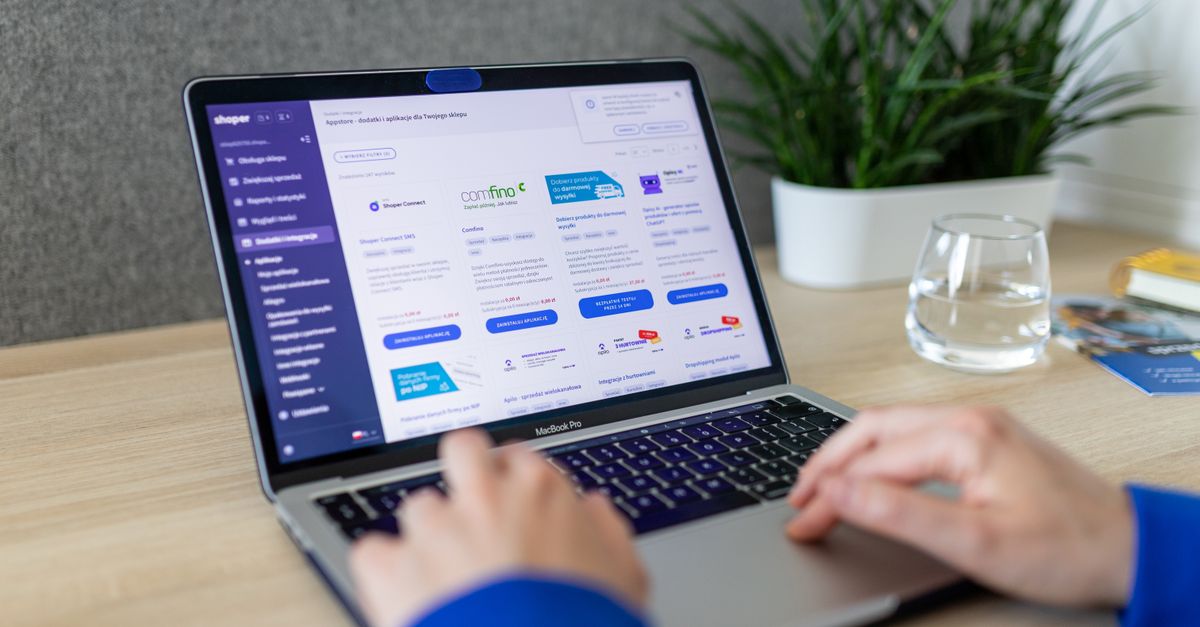
Photo: ROMAN ODINTSOV (Pexels)
What Teachable Actually Does
Teachable is a hosted course platform that handles video hosting, student enrollment, payment processing, and basic email notifications. You do not need a separate website, payment gateway, or video CDN to launch a course.
The core workflow looks like this:
- Build a school (your branded subdomain or custom domain).
- Create courses with video, text, quizzes, and downloadable files.
- Set pricing — one-time, subscription, or payment plan.
- Publish and promote using Teachable’s built-in checkout pages.
That covers the basics. Let’s get into what matters most: pricing and what you actually get at each tier.
Teachable Pricing in 2026
Teachable uses a tiered monthly subscription model. Prices below reflect annual billing, which saves roughly 25% over monthly.
| Plan | Monthly (annual billing) | Transaction Fee | Courses | Students |
|---|---|---|---|---|
| Free | $0 | 10% | 1 | Unlimited |
| Basic | $39/mo | 5% | 5 | Unlimited |
| Pro | $119/mo | 0% | Unlimited | Unlimited |
| Pro+ | $199/mo | 0% | Unlimited | Unlimited |
Always verify current pricing at teachable.com/pricing before committing — Teachable adjusts rates periodically.
The transaction fee structure is where new users often get surprised. On the Free plan, Teachable takes 10% of every sale. Sell a $200 course ten times and that’s $200 gone before you’ve paid any ad costs. The Basic plan’s 5% fee is better but still meaningful at scale. Most serious course creators jump to Pro specifically to eliminate that cut.
Core Features Worth Knowing
Course Builder
Teachable’s drag-and-drop curriculum builder is genuinely easy to learn. You can organize content into sections and lectures, embed Wistia or YouTube videos, and upload PDFs or audio files. Native video hosting is included — no separate Vimeo account required.
Quizzes are available on all paid plans. They are functional but basic: multiple choice only, no branching logic. If you need scenario-based assessments, you’ll need a workaround.
Sales and Checkout Pages
Every Teachable plan includes customizable sales pages built inside the platform. You can add testimonials, an FAQ accordion, instructor bio, and a prominent buy button — all without touching code.
The checkout flow supports one-click upsells on Pro and above. That feature alone can meaningfully increase average order value, since you can offer a coaching session or bonus course immediately after a student purchases.
Email and Marketing Automation
Teachable includes a basic email tool called Teachable:one (formerly Teachable Email). It lets you send broadcasts to your student list and set up drip sequences tied to course enrollment.
Here’s the honest caveat: it’s not a replacement for a dedicated email marketing platform. If you need advanced segmentation, behavior-based automations, or deep analytics, you’ll want to connect Kit (formerly ConvertKit) or ActiveCampaign via Zapier or the native integration. Teachable integrates with both without much friction.
Affiliate Program Management
Pro plan and above includes a built-in affiliate center. You can recruit affiliates, set commission rates, and track payouts from the dashboard. For a course platform, this is a genuine differentiator — Podia includes affiliates on most plans, but Thinkific charges extra for it.
Certificates of Completion
Branded completion certificates are available on the Pro plan and above. Students receive them automatically when they finish a course. This matters most if your audience expects a credential — coaching clients, professional development learners, and B2B buyers often ask for certificates.
What Teachable Does Well
Student experience. The student dashboard is clean and mobile-responsive. Completion rates tend to improve when learners can track their progress easily, and Teachable’s progress bars and lecture checkmarks help with that.
Payment flexibility. You can offer one-time pricing, monthly subscriptions, annual subscriptions, or payment plans on a single course. Very few platforms at this price point handle all four natively.
Tax handling. Teachable acts as the merchant of record in many countries, meaning it collects and remits VAT and sales tax on your behalf. For solo creators, this removes a real administrative headache.
Fast setup. A creator who knows what they want to teach can have a published course live within a day. Teachable’s onboarding flow guides you through the process step by step.
Where Teachable Falls Short
Community features are thin. Teachable has a basic discussions tab, but it’s not a community platform. If you want a Slack-style channel experience or a Facebook Group alternative built into your school, you’ll need a third-party tool like Circle or Mighty Networks.
The free plan is genuinely limited. One course, 10% transaction fees, and no email marketing make the Free plan more of a trial than a real launch option. Most creators should budget for at least the Basic plan from day one.
No native live session tool. Teachable does not include built-in live video. Coaching calls require Zoom or Calendly integrations, which adds extra steps and costs.
Blog and SEO features are minimal. Teachable schools do not have a native blog. If content marketing is part of your course-selling strategy, you’ll want a separate WordPress site or blog hosted elsewhere.
Teachable vs. The Competition
The Teachable review: is it worth it in 2026? question only makes sense against alternatives. Here’s how Teachable stacks up against the four closest competitors at the mid-tier price point.
| Platform | Starting Price | Transaction Fees | Community | Affiliate Tools | Best For |
|---|---|---|---|---|---|
| Teachable | $0 (or $39/mo paid) | Yes (free + basic) | Basic | Pro+ only | Solo creators, fast launch |
| Thinkific | $0 (or $36/mo paid) | None | Add-on | Growth plan+ | Creators wanting no fees at free tier |
| Podia | $33/mo | None | Built-in | All plans | Digital downloads + courses combo |
| Kajabi | $69/mo | None | Built-in | All plans | All-in-one marketing + courses |
| Kartra | $99/mo | None | Limited | All plans | Funnel-first marketers |
Thinkific is the closest apples-to-apples comparison. It charges no transaction fees even on the free plan, which gives early-stage creators more runway. Teachable edges Thinkific on payment plan flexibility and has a slightly more polished checkout experience.
Podia wins for creators who also sell digital downloads, templates, or memberships alongside courses, since everything sits in one dashboard without add-on costs.
Kajabi is in a different budget category but includes email marketing, pipelines, and community — genuinely an all-in-one setup. The $69/mo entry price is steep for beginners, but creators who hit consistent revenue often find the consolidation worth it.
Kartra is less of a course platform and more of a funnel builder that happens to host courses. If your priority is sophisticated automated funnels tied to course enrollment, Kartra fits. If courses are the core product, Teachable or Kajabi serve better.
Who Should Pick Teachable (and Who Shouldn’t)
Pick Teachable if:
– You want to launch a first course quickly without a development learning curve.
– You plan to upgrade to the Pro plan ($119/mo) and eliminate transaction fees.
– You sell courses with payment plans or subscriptions — Teachable handles these natively.
– You want a built-in affiliate center without bolting on a third-party tool.
Look elsewhere if:
– You’re on a tight budget and want zero transaction fees from day one — try Thinkific’s free plan.
– Community is central to your offer — Kajabi or a Podia + Circle combo will serve you better.
– You need advanced email sequences baked into the platform — ActiveCampaign connected to Kajabi gives you much more power.
– You want a full website and blog under the same roof — Kajabi or a WordPress site paired with Teachable is the workaround, but it adds complexity.
Our Take
The Teachable review: is it worth it in 2026? verdict is nuanced. For creators who plan to commit to the Pro plan and have at least one validated course idea, Teachable delivers real value: clean UX, strong payment flexibility, no transaction fees, and a workable affiliate system.
The Free and Basic plans are harder to recommend. The 10% and 5% fees, respectively, eat into margins fast. A creator selling a $497 course and making 20 sales per month on the Basic plan loses nearly $500 to fees alone — enough to cover most of the Pro plan’s cost for the entire year.
Run the math on your projected volume before picking a plan. That calculation will tell you more than any feature comparison.
Frequently Asked Questions
Does Teachable offer a free trial in 2026?
Teachable offers a free plan with one course and a 10% transaction fee rather than a time-limited trial. Paid plans do not include a standard free trial period, though Teachable occasionally runs promotional offers [verify current terms at teachable.com].
How much does Teachable take from each sale?
On the Free plan, Teachable takes 10% of every sale. The Basic plan charges 5%. The Pro plan and above charge 0% transaction fees — you only pay standard payment processor fees (typically 2.9% + $0.30 per transaction via Stripe or PayPal).
Can I use my own domain with Teachable?
Yes. Custom domains are available on all Teachable plans, including the Free plan. You’ll need to update your DNS records and connect the domain inside your Teachable school settings — the process takes about 20 minutes.
What’s the difference between Teachable and Thinkific?
Both are hosted course platforms at similar price points. Thinkific’s key advantage is zero transaction fees even on the free tier. Teachable’s advantages are a more polished checkout experience, native payment plan options on all plans, and a built-in affiliate center on Pro+ without extra cost.
Is Teachable still worth it in 2026 if I’m just starting out?
The Teachable review: is it worth it in 2026? answer for beginners is: proceed with caution. The free plan works for validating an idea, but the 10% fee discourages real momentum. If you’re confident in your first course concept, budgeting $119/mo for the Pro plan from the start is a cleaner economic decision than scaling through the lower tiers.
Want to compare more course platforms side by side? Bookmark this site for ongoing reviews and comparisons updated as platform pricing changes.
External reference: Teachable official pricing page
0 Comments on "Teachable Review: Is It Worth It in 2026?"
Related posts






Leave a Comment
You must be logged in to post a comment.